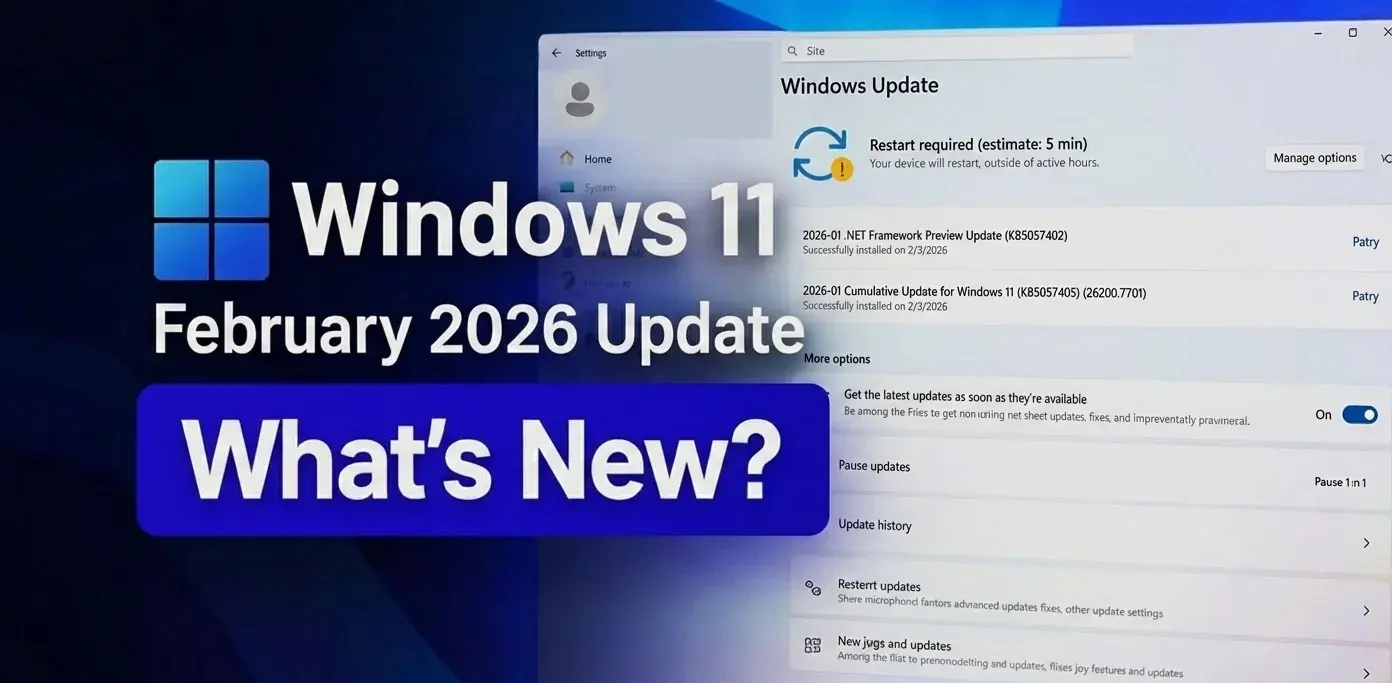
February's Patch Tuesday is creating quite the buzz across social media and IT forums. Everyone's talking about the Windows 11 February 2026 Patch Hype, and for good reason.
Microsoft's scheduled February 10 update promises to fix recent headaches while delivering genuinely exciting new features. After January's rocky rollout left many users frustrated, the tech giant is pulling out all the stops to restore confidence.
Whether you're running a small business or just trying to keep your home PC running smoothly, this update deserves your attention. We'll break down exactly what's coming, what it means for you, and how to prepare.
Key Takeaways
- February 10, 2026, is the official release date for this highly anticipated update
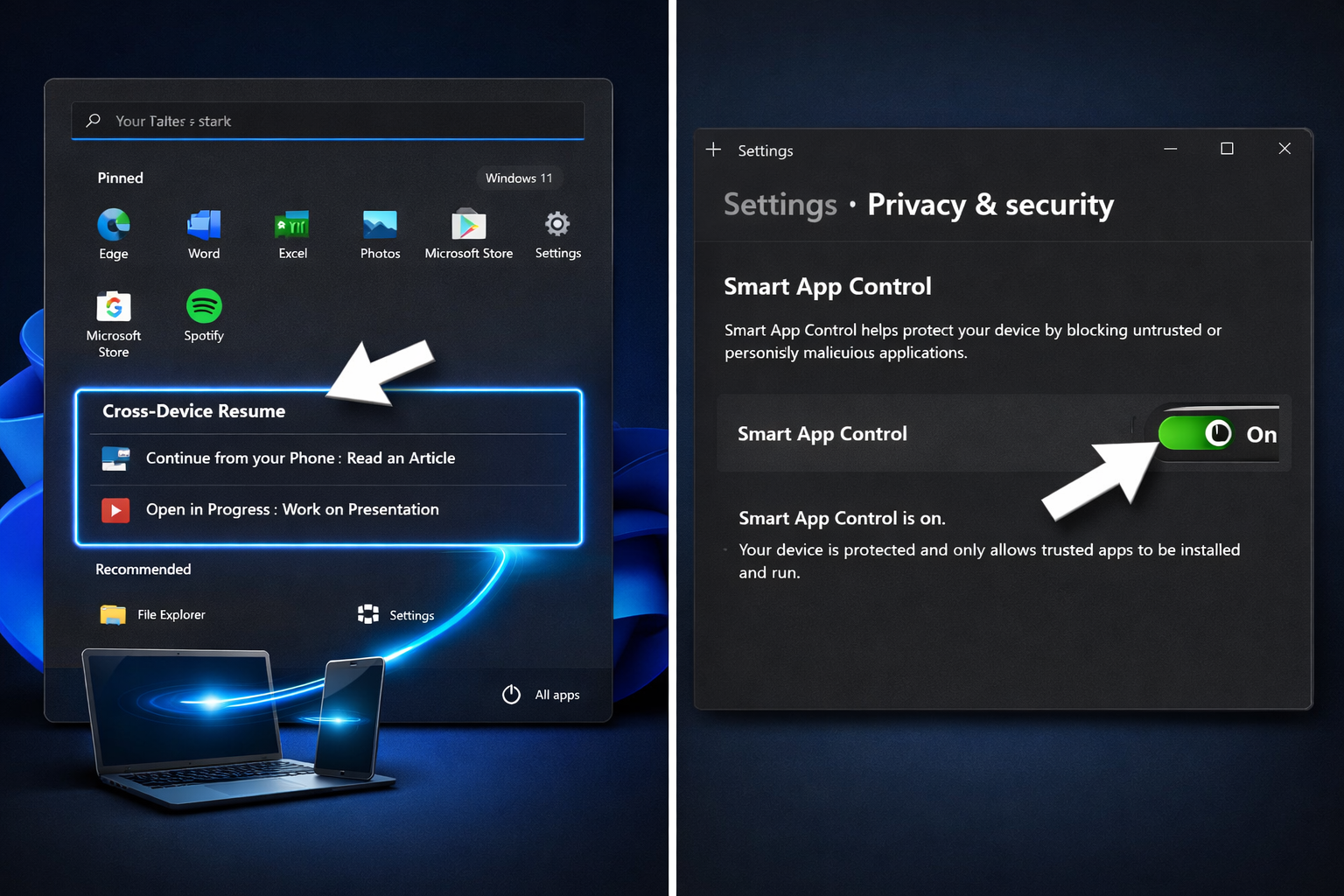
- Cross-Device Resume lets you pick up Android apps smoothly on your Windows 11 PC
- Smart App Control can now be toggled without reinstalling Windows—a massive usability win
- Security enhancements include Windows Hello expansion and critical Secure Boot updates
- Back up first: Create restore points before installing due to recent update quality concerns
Background on Patch Tuesday and the Windows 11 February 2026 Patch Hype
Microsoft releases updates on the second Tuesday of every month, a tradition IT pros call "Patch Tuesday." These updates typically bundle security fixes alongside quality improvements and new features.
The 2026 cycle has been particularly eventful. Microsoft rolled out Windows 11 versions 24H2 and 25H2 late last year. Both versions are receiving this February update simultaneously with identical changes.
January 2026 threw a spanner in the works. Users reported serious issues, including uninstallation problems and unexpected system behaviour. Microsoft released an out-of-band fix on January 17 to address the most critical issues.
That context makes the Windows 11 February 2026 Patch Hype even more significant. This isn't just another routine update; it's Microsoft's chance to rebuild trust after a bumpy start to the year.
The update is classified as a "Hotpatch" release in Microsoft's official schedule. This means it should install with minimal disruption and, in many cases, without requiring a full system restart.
If you're still deciding whether to upgrade to Windows 11, this update might tip the scales.
Major New Features Driving the Windows 11 February 2026 Patch Hype
Cross-Device Resume for Android Apps
This feature is genuinely a major improvement for anyone who uses both Android and Windows devices. You can start something on your phone and smoothly continue on your Windows 11 computer.
Imagine browsing a website on your phone during your commute. When you sit down at your desk, that same page opens automatically on your PC. No copying links, no email-to-self workarounds, it just works.
The functionality extends beyond browsers to supported Android apps. Microsoft is positioning this as part of its broader ecosystem strategy to compete with Apple's Continuity features.
Windows MIDI Services Major Upgrade
Musicians and audio professionals have reason to celebrate. The February update includes a significant overhaul of Windows MIDI Services[2].
This upgrade promises better latency, improved device compatibility, and more reliable connections. If you've struggled with MIDI controllers or audio interfaces, this could solve long-standing frustrations.
Smart App Control Toggle Finally!
Here's where the Windows 11 February 2026 Patch Hype gets really practical. Previously, enabling Smart App Control meant a full commitment; turning it off required reinstalling your entire operating system.
That's changing. You can now toggle Smart App Control on or off at any time. No reinstallation necessary.
This security feature blocks potentially malicious applications before they can cause harm. The new flexibility lets you enable it as needed without being locked in.
For businesses, this is huge. You can test Smart App Control without risking productivity if it blocks legitimate software. We see this all the time, security features that are too rigid end up disabled completely.
Windows Hello Enhanced Security Expansion
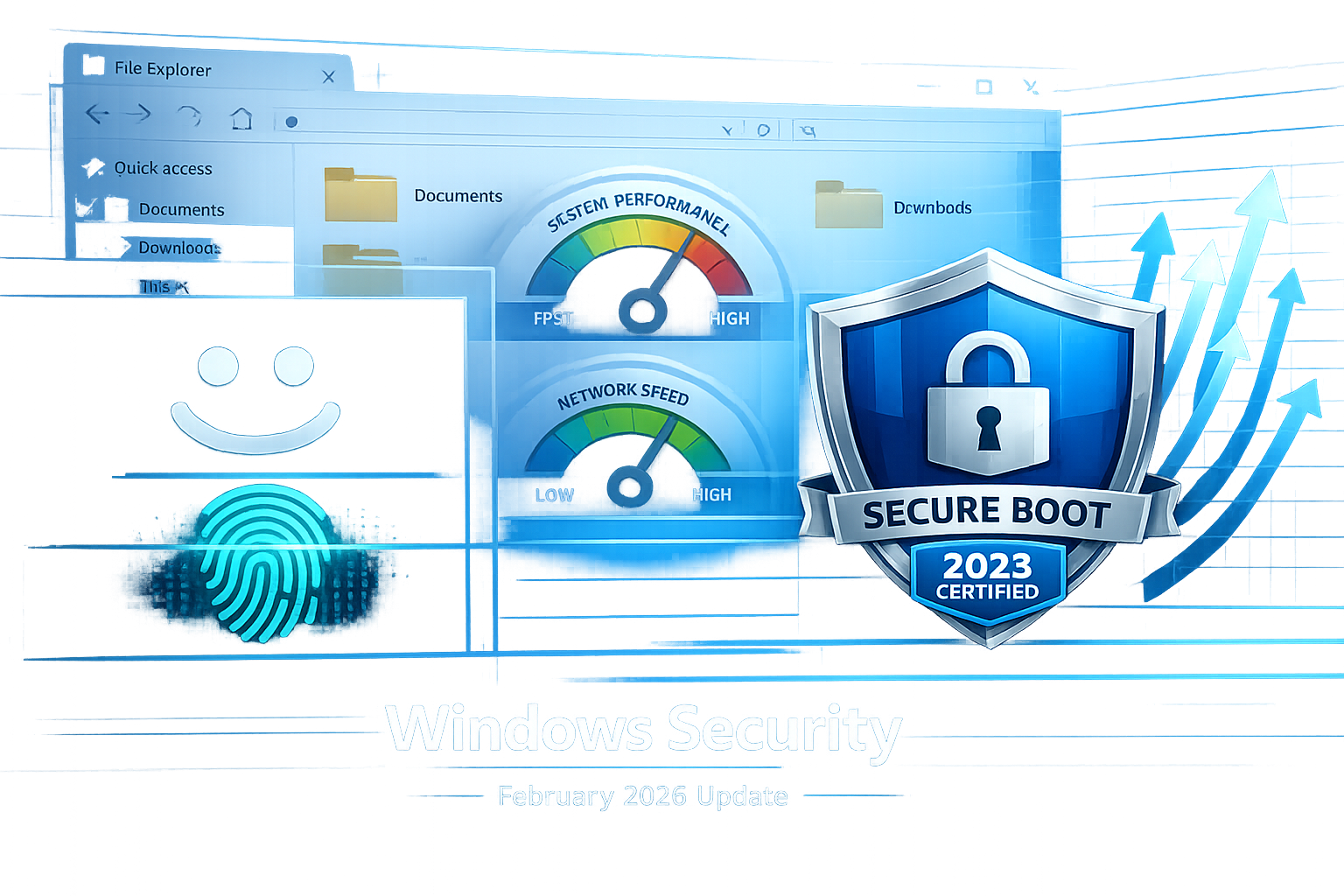
Windows Hello is expanding to support external devices more thoroughly. This means better biometric authentication options for webcams, fingerprint readers, and other peripherals.
Security doesn't have to be complicated. Windows Hello already makes logging in simple with your face or fingerprint. This update extends that convenience to more hardware.
File Explorer Performance Improvements
Microsoft has optimised File Explorer to run faster and more smoothly. If you've noticed lag when browsing folders or searching for files, this update should help.
File Explorer is something you use constantly, even if you don't think about it. Faster performance here improves your entire Windows experience. If your computer's running slowly, this optimisation might provide noticeable relief.
Voice Access and Voice Typing Updates
Accessibility features are also receiving attention. Both Voice Access and Voice Typing are receiving updates to improve accuracy and functionality.
These tools help people with mobility challenges use Windows more effectively. They're also handy for anyone who prefers dictating to typing.
Security and Performance Fixes in the February 2026 Update
Beyond the headline features, this update addresses critical security vulnerabilities. Microsoft hasn't yet disclosed the specific CVE numbers, but the security bulletin will be published alongside the update on February 10.
Secure Boot Updates
Windows 11 version 24H2 will receive important Secure Boot updates[3]. The update replaces the Boot Manager with a 2023-signed version, replacing the 2011-signed bootmgfw.EFI file on eligible devices.
This might sound technical, but it's important. Secure Boot prevents malicious software from loading before Windows starts. Updated signatures ensure this protection remains effective against modern threats.
Don't worry, this is a common update process. Most users won't notice anything different, but your system will be more secure.
Stability Improvements
After January's troubles, Microsoft is prioritising stability. The February update includes fixes for reported crashes, performance degradation, and compatibility issues.
The Release Preview builds (26100.7701 and 26200.7701) were released on January 27, 2026. This preview period gives Microsoft time to catch problems before the general release.
If you've experienced issues with automatic repair loops or screen flickering, this update may resolve them.
AI Model Bundling
Microsoft continues to integrate AI capabilities directly into Windows. The February update includes new AI models that power features such as Windows Copilot and enhanced search.
These improvements happen behind the scenes. You'll notice better suggestions, more accurate voice recognition, and smarter system behaviour.
Community Reactions to the Windows 11 February 2026 Patch Hype
The Windows community is genuinely excited, but cautiously so. Social media and forums show a mix of anticipation and wariness.
What People Are Saying
The Positive:
- Cross-Device Resume is generating genuine enthusiasm, especially among Samsung and Google Pixel users
- The Smart App Control toggle fix addresses a major complaint from security-conscious users
- IT professionals appreciate Microsoft's transparency about January's problems
The Concerns:
- Update file sizes reportedly exceed 4GB for some configurations—a hefty download
- Trust is shaken after January's quality issues and difficult uninstallation process
- Some users report that the Release Preview builds still contain minor bugs
Pros and Cons at a Glance
| Advantages ✅ | Disadvantages ❌ |
|---|---|
| Cross-Device Resume functionality | Large download size (4GB+) |
| Smart App Control now toggleable | Recent update quality concerns |
| Enhanced Windows Hello support | Potential compatibility issues |
| File Explorer performance boost | Preview builds show minor bugs |
| Critical security patches included | Installation time can be lengthy |
| MIDI Services improvements | May require driver updates |
Should You Install the February 2026 Update Right Away?
Here's our honest advice: wait a few days if you can.
We support Windows users across London, Berkshire, and Surrey, including update failures, driver issues and broken Microsoft 365 sign-ins.
For Home Users
If your computer is working fine, wait until the weekend after the release. This gives Microsoft time to catch any day-one problems and release emergency fixes if needed.
Create a restore point before installing. This takes five minutes and could save you hours of frustration. If you're not sure how, that's what we're here for; you don't need to be technical, that's our job.
Consider creating a full backup of your important files as well. After January's uninstallation difficulties, an extra layer of protection makes sense.
For Small Businesses
The stakes are higher when you're running a business. Downtime costs money and frustrates customers.
Test the update on one non-critical machine first. If everything works smoothly for a few days, roll it out to the rest of your team.
We offer business IT support for situations like these, booked around engineer availability. We can test updates, create backups and handle installation across your office. Diagnostic and support time is chargeable, with the rate agreed before work starts.
For dental practices, legal firms, and estate agents we support, we recommend scheduling updates during quiet periods. We come to you—no need to bring equipment anywhere.
When to Seek Help
If the update causes problems, don't panic. Most issues can be fixed within an hour.
Common problems we see include:
- Update is stuck at a percentage
- Blue screen errors after installation
- Applications are not launching properly
- Wi-Fi is not working after the update
- Printer connectivity issues
We offer remote IT support and on-site visits with no call-out fees. Rates start at £85/hour, and we'll provide a clear quote before any work begins.
How to Prepare for the Windows 11 February 2026 Patch Hype
Before Installation
1. Back Up Your Data: Use Windows Backup or an external hard drive. We provide data backup services if you need help setting this up properly.
2. Create a System Restore Point. This gives you an easy rollback option if something goes wrong. Microsoft recommends this step due to recent quality concerns.
3. Check Your Storage Space With 4GB+ downloads, ensure you have at least 20GB free on your system drive. A slow computer often lacks adequate storage.
4. Update Your Drivers: Visit your PC manufacturer's website and download the latest drivers. This prevents compatibility conflicts after the Windows update.
5. Close Unnecessary Applications Before starting the update, close all programs. This includes background apps that might interfere with installation.
During Installation
Let the update complete without interruption. Don't shut down your computer, even if it seems stuck. Updates can take 30-60 minutes, depending on your hardware.
Your computer will restart several times. This is normal, don't panic.
After Installation
1. Check Everything Works: Test your printer, Wi-Fi, applications, and peripherals. If something's broken, we can help diagnose and fix it quickly.
2. Review New Features: Explore the new Cross-Device Resume settings and Smart App Control options. Familiarise yourself with what's changed.
3. Monitor Performance Notice if your computer runs faster or slower. The File Explorer improvements should be immediately noticeable.
4. Report Issues. If you encounter bugs, use the Feedback Hub to report them to Microsoft. This helps improve future updates.
What If You're Still on Windows 10?
Windows 10 support ends in October 2025. If you haven't upgraded yet, you're running on borrowed time.
The good news? You can still upgrade to Windows 11 for free if your hardware supports it.
We help customers upgrade safely every day. We'll check compatibility, back up your data, perform the upgrade, and ensure everything works properly. Same-day service is available across our coverage areas.
If your hardware doesn't support Windows 11, we can advise on affordable upgrade options or help you maximise your remaining time on Windows 10 safely.
The Bigger Picture: Microsoft's 2026 Windows Strategy
The Windows 11 February 2026 Patch Hype reflects Microsoft's broader strategy to create a smooth ecosystem across devices.
Cross-Device Resume is just the beginning. Microsoft is working to make Windows, Android, and cloud services work together effortlessly. This competes directly with Apple's ecosystem lock-in.
The focus on security (Windows Hello, Secure Boot updates, Smart App Control) addresses the growing cyber threat landscape. Businesses face constant attacks, and Microsoft knows Windows must be secure by default.
Performance improvements show Microsoft is listening to user feedback. After years of complaints about Windows bloat, they're optimising core components like File Explorer.
Conclusion: Navigating the Windows 11 February 2026 Patch Hype
The February 10 update brings genuinely useful features alongside critical security fixes. Cross-Device Resume, the Smart App Control toggle, and Windows Hello enhancements make Windows 11 more practical and secure.
But proceed carefully. January's problems remind us that even major updates can have teething troubles.
Your Action Plan:
- Back up your data before February 10
- Create a restore point when the update becomes available
- Wait 2-3 days after release, if possible, to let others test first
- Install during downtime when you can afford potential issues
- Get help quickly if problems arise—don't struggle alone
At Verge Tech Solutions, our senior engineers help London, Berkshire, and Surrey residents and businesses navigate Windows updates. We come to you, explain everything clearly, and resolve issues without making you feel embarrassed for asking.
Whether you need help preparing for the update, troubleshooting afterwards, or deciding if it's time to upgrade your hardware, we're here. There is no separate call-out fee within our normal service area. Appointments depend on engineer availability, and diagnostic and support time is chargeable.
Don't let the Windows 11 February 2026 Patch Hype stress you out. With proper preparation and expert support as needed, this update can improve your computing experience, speed it up, and enhance security.
Need help with Windows updates, computer repair, or Windows repair installation? Give us a call. We'll take care of the technical stuff so you can focus on what matters.
References
[1] Microsoft Confirms Windows 11 January 2026 Update Issues Releases Fix For At Least Problems - https://www.windowslatest.com/2026/01/18/microsoft-confirms-windows-11-january-2026-update-issues-releases-fix-for-at-least-problems/
[2] 8 Features Expected To Arrive With The February 2026 Update For Windows 11 - https://www.windowscentral.com/microsoft/windows-11/8-features-expected-to-arrive-with-the-february-2026-update-for-windows-11
[3] Releasing Windows 11 Builds 26100 7701 And 26200 7701 To The Release Preview Channel - https://blogs.windows.com/windows-insider/2026/01/27/releasing-windows-11-builds-26100-7701-and-26200-7701-to-the-release-preview-channel/
[5] Windows11 Release Information - https://learn.microsoft.com/en-us/windows/release-health/windows11-release-information
[6] January 17 2026 Kb5077744 Os Builds 26200 7627 And 26100 7627 Out Of Band - https://support.microsoft.com/en-us/topic/january-17-2026-kb5077744-os-builds-26200-7627-and-26100-7627-out-of-band-27015658-9686-4467-ab5f-d713b617e3e4
Windows troubleshooting and repair
Need Windows fixed without losing your data?
We repair Windows startup loops, update failures, driver problems, blue screens and slow PCs remotely or on-site across London, Berkshire and Surrey.
Keep reading
Related IT guides
Windows 10 End of Support: You're Past the Deadline, Here's What to Do Now
Windows 10 support ended in October 2025. If you are still running it in 2026, here is what UK businesses and home users should do now, from ESU options to upgrading to Windows 11.
KB5077181 Windows 11 Update Issues
ad installation failures, network disruptions, and Bluetooth connectivity problems for many Windows 11 users Common issues include boot loops, DHCP...
What Should You Do After Microsoft Kills Windows 10
As the end of support for Windows 10 approaches, many users are left wondering what their options are. With the deadline set for October 14, 2025, it’s...
Written by
Noman Maqsood (Nomi)
Senior IT Engineer · Azure Certified
Nomi has 7+ years in cloud, networking, and hybrid infrastructure. He writes about practical IT solutions — no jargon, just what actually works.
More from Nomi at nmaqsood.com →