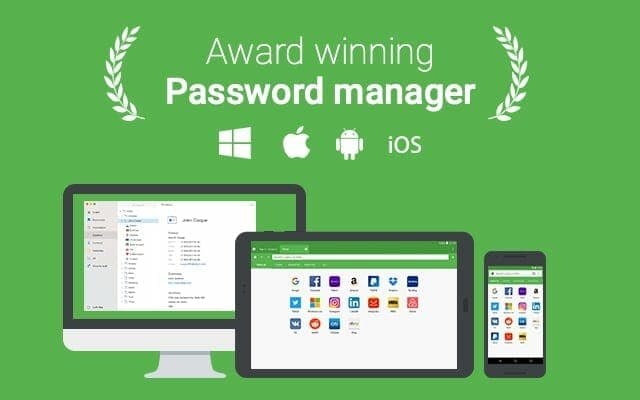
RoboForm is a best low price password manager and perhaps the longest player in the password manager game, which prove their long-term viability. Main features include the usual - auto-filling and single-click logins through securely stored passwords and protected by (2FA) two-factor authentication, multiple platform support, synchronising passwords across all your devices and browsers, a password auditing tool, as well as offline access to all RoboForm data via desktop and mobile apps. Your data is protected with AES 256 encryption. RoboForm applications also offer optional local-only storage.
An interesting addition is the option to save all your Windows app passwords, including Skype, Outlook, and others. All your passwords can be organised into folders, and you can even bookmark the most-used ones for easier access and create safe notes. RoboForm also supports importing data from all the major password managers, browsers, as well as CSV import and export.
SUPPORTED PLATFORMS: Windows, macOS, iOS, Android, Linux, and ChromeOS
BROWSER EXTENSIONS: Chrome, Safari, Firefox, Microsoft Edge, and Internet Explorer
PRICING
However, RoboForm Free is only available on one device.
To sync your private data across all browsers and devices, you’ll need to upgrade to RoboForm Everywhere. The upgrade will also get you Emergency Access and Secure Sharing. Also, features such as cloud backup and two-factor authentication with support for TOTP apps.
Its Premium features come at a very affordable price. For £1.58 per month, a RoboForm Everywhere subscription adds secure backup, syncing across all devices, and priority support.
For UK small businesses, a password manager like this is also one of the cheapest ways to meet the access-control expectations behind Cyber Essentials and UK GDPR, shared logins and passwords written on sticky notes are exactly what both are designed to catch. We help SMEs across Berkshire and West London set these up properly, including staff training so it actually gets used.
Cybersecurity and scam protection
Worried about security, phishing or account protection?
We help London SMEs and home users harden devices, Microsoft 365 accounts, MFA, backups and endpoint protection before a small issue becomes a business problem.
Keep reading
Related IT guides
Cyber Essentials Checklist for Small Businesses: What to Fix Before You Apply
A plain-English Cyber Essentials checklist for UK small businesses. The five controls, what assessors check, and how to fix the common fails before you apply.
8 Best Practices to Protect Your Company Data When Employees Leave
What Is Data Protection and Why Is It Important? Before discussing the best practices of employee offboarding, it is important to understand data...
GDPR Compliance Checklist for UK Small Businesses
When it comes to data protection, GDPR (General Data Protection Regulation) is a big deal. It’s all about making sure personal data is handled with...
Written by
Noman Maqsood (Nomi)
Senior IT Engineer · Azure Certified
Nomi has 7+ years in cloud, networking, and hybrid infrastructure. He writes about practical IT solutions — no jargon, just what actually works.
More from Nomi at nmaqsood.com →