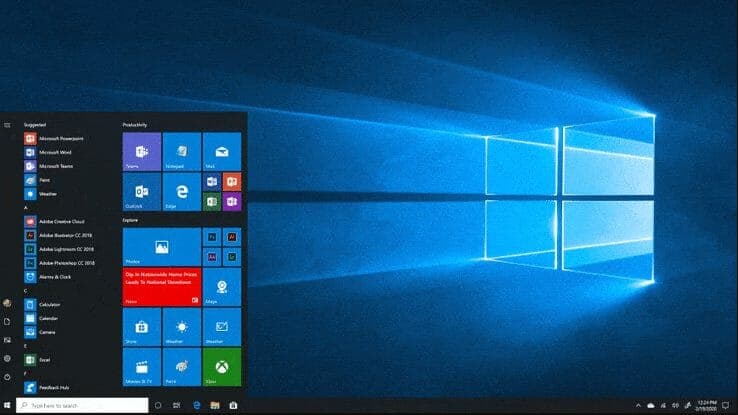
Support for Windows 10 will cease on October 14, 2025. Currently, the most recent feature release of Windows 10 is called 22H2, which will be supported until that date. After October 14, 2025, Windows 10 will continue to run on your device but will no longer receive significant updates, including new features and security improvements.
It's important to note that while the operating system will no longer receive updates, certain third-party software and Microsoft applications may continue to receive updates even after Windows 10 support ends. However, it is recommended to transition to a newer operating system, such as Windows 11, to ensure ongoing support and access to the latest features and security updates.
To continue benefiting from regular updates, upgrading to a more recent version of Windows is strongly suggested. This will ensure your device receives the latest security updates and allow you to take advantage of the new features and improvements Microsoft offers.
If you are running Windows 10 and want to upgrade to Windows 11, visit the official Microsoft website for instructions on upgrading. It is always recommended to back up your important files before proceeding with any major updates or upgrades to avoid any potential data loss. When you're ready to move forward, ensure your device meets Microsoft's minimum system requirements to ensure a smooth upgrade. Many users are unaware that they can upgrade to Windows 11 for free if they already have a valid copy of Windows 10, making it an accessible option for those looking to enhance their computing experience. After completing the upgrade, take time to explore the new features and improvements Windows 11 offers, which can significantly enhance your productivity and enjoyment. Additionally, ensure your device meets the minimum system requirements for Windows 11 to ensure a smooth installation. If you encounter any issues during the upgrade, consider reaching out to a professional by searching for "Windows repair services near me," as they can help troubleshoot and resolve any problems you may face. Taking these precautions can save you time and help you enjoy the new features offered by the latest operating system.
Remember, keeping your operating system up to date is crucial for your device's security and performance. Transitioning to a newer version of Windows will help ensure you continue receiving the necessary updates to protect your system and enjoy the latest features and improvements.
Why This Matters More for UK Businesses
For SMEs, an unsupported operating system isn't just a security risk, it can block certification too. Cyber Essentials, the UK government-backed scheme many clients and insurers now expect, requires devices to be running an operating system that still receives security updates, a Windows 10 machine past its end-of-support date will fail that check. If your business relies on Cyber Essentials for contracts, insurance, or client due diligence, this is worth acting on before the deadline rather than after.
Contact Verge Tech Solutions to upgrade your windows
If you're considering the move to Windows 11 and need assistance safeguarding your data before making the transition, reach out to us now. We cover Slough, Berkshire and Surrey and we'll be happy to walk you through the process and ensure you're ready for Windows 11.
Windows troubleshooting and repair
Need Windows fixed without losing your data?
We repair Windows startup loops, update failures, driver problems, blue screens and slow PCs remotely or on-site across London, Berkshire and Surrey.
Keep reading
Related IT guides
How to End a Task from the Windows 11 Taskbar
In recent Windows 11 updates , Microsoft has introduced a highly practical feature that streamlines the management of unresponsive or problematic...
Windows 10 End of Support: You're Past the Deadline, Here's What to Do Now
Windows 10 support ended in October 2025. If you are still running it in 2026, here is what UK businesses and home users should do now, from ESU options to upgrading to Windows 11.
What Should You Do After Microsoft Kills Windows 10
As the end of support for Windows 10 approaches, many users are left wondering what their options are. With the deadline set for October 14, 2025, it’s...
Written by
Noman Maqsood (Nomi)
Senior IT Engineer · Azure Certified
Nomi has 7+ years in cloud, networking, and hybrid infrastructure. He writes about practical IT solutions — no jargon, just what actually works.
More from Nomi at nmaqsood.com →